The Smart Home Starter Kit: What You Actually Need in 2027
25 September 2026
Every January, the same ritual. You walk into a big box store, and there it is: a wall of glowing gadgets promising to turn your house into a "smart home." Voice assistants that listen to your every word. Light bulbs that cost more than a decent dinner. Cameras that watch your cat while you're at work. And somewhere in that pile of silicon and LEDs, a salesperson is telling you that you need all of it.
You don't.
By 2027, the smart home industry has matured enough that the hype has mostly settled. The early adopters have already filled their garages with abandoned hubs and forgotten smart plugs. The rest of us are left wondering what actually works, what's worth the money, and what's just an expensive way to add another app to your phone.
This guide is not a list of the coolest gadgets. It is a practical, sometimes blunt look at what a smart home starter kit should actually include in 2027, why certain devices earn their place, and which ones you can safely skip. If you want a house that responds to you without becoming a part-time job, keep reading.

The Core Problem With Most Smart Home Advice
Most smart home guides are written by people who love technology more than they love living in a home. They recommend devices based on specs, not on how those devices fit into daily life. The result is a house full of gadgets that work individually but not together, each with its own app, its own account, and its own way of frustrating you at 6 a.m. when you just want the lights to turn on.The real question is not "What can I automate?" It is "What do I actually want my home to do for me?" That sounds obvious, but almost nobody starts there. They start with the gadget. Then they spend months trying to justify the purchase.
A smart home should reduce friction, not add it. Every device you add should either save you time, save you money, or make your home safer or more comfortable. If it does none of those things reliably, it is a toy. Toys are fine. Just don't confuse them with infrastructure.
The Foundation: A Network That Doesn't Quit
Before you buy a single smart device, you need to address the thing almost every smart home guide glosses over: your Wi-Fi.Smart homes are bandwidth hogs. Not because each device uses much data, but because cheap routers choke when 30 devices are connected at once. A $60 router from 2019 will handle your laptop and phone fine. Add a dozen smart bulbs, a few cameras, a video doorbell, and a thermostat, and you will start seeing devices drop offline, respond slowly, or refuse to connect entirely.
Why Mesh Matters
A mesh Wi-Fi system spreads coverage across multiple access points instead of relying on one router in a corner. This matters for smart homes because devices are often in awkward places: garages, basements, front porches, backyards. A single router cannot reach all of them reliably.Mesh systems from brands like TP-Link, Google, and Amazon have become affordable enough that a three-pack costs less than a mid-range phone. If your home is larger than 1,500 square feet or has thick walls, mesh is not a luxury. It is a prerequisite.
The Case for a Separate Network
Here is something most people don't consider: put your smart home devices on a separate Wi-Fi network from your computers and phones. Many routers support a "guest network" that does exactly this. The benefit is twofold. First, it isolates your smart devices from your personal data. Second, it prevents a misbehaving smart plug from dragging down your main network.This is not paranoia. It is basic hygiene. Smart devices are notoriously lax about security updates. Keeping them on their own network limits the damage if one gets compromised.
When Wi-Fi Isn't the Answer
For battery-powered devices like sensors and locks, Wi-Fi is a terrible choice. It drains batteries in weeks. That is why protocols like Zigbee, Z-Wave, and Thread exist. These are low-power mesh networks designed specifically for small devices. They require a hub or a border router, but they are far more reliable and battery-friendly than Wi-Fi for sensors.In 2027, Thread and Matter have simplified this landscape considerably. Matter is a universal standard that lets devices from different brands work together. Thread is the network layer that many Matter devices use. If you are buying sensors or locks today, look for the Matter logo and Thread support. It is the closest thing to future-proofing that exists in this industry.

The Non-Negotiables: What Every Starter Kit Needs
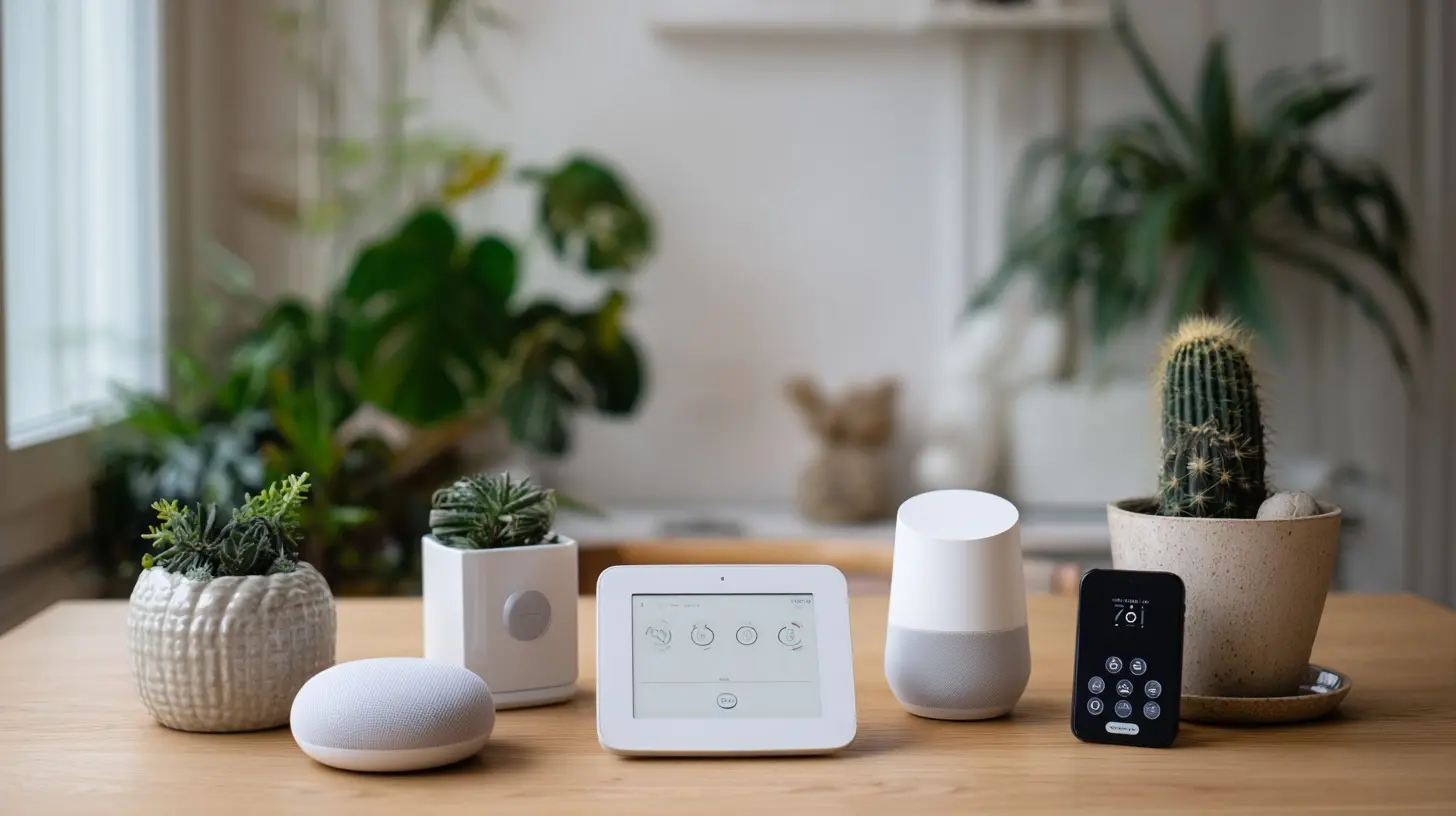
Let us talk about the devices that actually earn their place. These are not the flashiest. They are the ones you will still use in three years.A Hub or Border Router
If you buy only Wi-Fi devices, you can skip this. But if you want sensors, locks, or any device that runs on batteries, you need a hub. Think of it as the translator that lets all your devices speak the same language.A good hub supports Matter and Thread, works with multiple ecosystems, and does not require a subscription. The Amazon Echo (4th gen and later), Apple HomePod mini, and Google Nest Hub all act as Thread border routers. For more advanced setups, a dedicated hub like Hubitat or Home Assistant Yellow gives you local control and deeper automation.
Why does local control matter? Because cloud-dependent devices stop working when the internet goes down or when the manufacturer decides to shut down its servers. This has happened repeatedly. In 2027, buying cloud-only devices is a gamble. Local control is the safer bet.
Smart Plugs
Smart plugs are the gateway drug of the smart home. They are cheap, easy to set up, and instantly make any dumb device smart. A lamp becomes schedulable. A space heater becomes remote-controllable. A coffee maker becomes a morning alarm.The mistake people make is buying the cheapest plugs they can find. Cheap plugs often lack energy monitoring, which is one of the most useful features. Energy monitoring tells you how much power a device uses, which helps you identify energy hogs and automate them off when not needed.
Buy plugs that support Matter. They will work with whatever ecosystem you choose, and they will not become e-waste when the manufacturer abandons its app.
Smart Bulbs (But Only Some)
Here is a controversial take: you probably do not need smart bulbs in every room.Smart bulbs make sense in lamps, accent lighting, and anywhere you want color or dimming without installing a dimmer switch. They do not make sense in ceiling fixtures that you control with a wall switch, because the moment someone flips the switch off, the bulb loses power and becomes dumb again.
For ceiling lights, smart switches are the better choice. They control the fixture at the wall, so the light works like a normal light when you want it to, and like a smart light when you don't. Brands like Lutron and Leviton make reliable smart switches that do not require a neutral wire in every case, though you should check your wiring before buying.
If you do buy smart bulbs, stick with one brand per room. Mixing brands in the same fixture leads to mismatched color temperatures and inconsistent dimming.
A Video Doorbell
A video doorbell is one of the few smart devices that genuinely improves daily life. It lets you see who is at the door without opening it, talk to delivery drivers, and keep a record of activity. It is also one of the easiest smart devices to install, assuming you have existing doorbell wiring.The key decision is subscription versus local storage. Ring and Nest require subscriptions for video history. Eufy and Reolink offer local storage options, which means no monthly fee and no video leaving your home. If privacy matters to you, local storage is worth the extra upfront cost.
One caveat: video doorbells are power-hungry. Battery-powered models need charging every few months. Wired models are more reliable but require existing wiring. Check before you buy.
A Smart Thermostat
Smart thermostats pay for themselves. That is not marketing fluff. By learning your schedule and adjusting temperature automatically, they reduce heating and cooling costs by a meaningful amount. The exact savings depend on your climate, your home, and your habits, but most users report noticeable reductions in their energy bills.The two main options are Nest and Ecobee. Nest is simpler and learns automatically. Ecobee includes remote sensors that balance temperature across rooms, which is useful in homes with hot and cold spots. Both work with major ecosystems.
Do not buy a smart thermostat if you have a heat pump or a multi-zone system without checking compatibility first. Some systems require specific models.
The Nice-to-Haves: What to Add Later
Once the foundation is in place, you can expand. These devices are useful but not essential. Add them when you have a specific problem to solve, not because they look cool.Smart Locks
Smart locks are convenient. They let you unlock your door with a code, a phone, or a fingerprint. They also let you give temporary access to guests, cleaners, or contractors without hiding a key under the mat.The trade-off is reliability. Smart locks are more complex than traditional locks, which means more things can go wrong. Battery failures, connectivity issues, and firmware bugs are real problems. If you get one, choose a model that still works with a physical key as a backup. And check that it fits your door's existing hardware before buying.
Security Cameras
Cameras are useful for monitoring packages, pets, and unusual activity. They are also a privacy minefield. Cloud-connected cameras have been hacked. Footage has been accessed without authorization. If you buy cameras, buy ones with local storage and strong encryption.Placement matters more than resolution. A 2K camera pointed at a blank wall is useless. A 1080p camera covering your front walkway is valuable. Start with one camera at the most vulnerable entry point and expand from there.
Smart Sensors
Sensors are the unsung heroes of the smart home. A door sensor can trigger a light. A motion sensor can turn off a room when you leave. A water leak sensor can alert you before a small drip becomes a flooded basement.Sensors are cheap, battery-powered, and require a hub. They are also the foundation of real automation. If you want your home to respond to you without you issuing commands, sensors are how you get there.
The Traps: What to Avoid
The smart home industry is full of products designed to separate you from your money. Here are the ones to skip.Smart Appliances
A smart refrigerator that tells you when you are out of milk sounds great until you realize you still have to go to the store. Smart appliances are expensive, repair-prone, and rarely worth the premium. A $3,000 smart fridge does not keep food colder than a $1,200 dumb fridge. It just has a screen that will be obsolete in three years.Buy appliances for their core function. Add smart plugs or sensors if you want automation.
Subscription-Based Everything
Subscriptions are the smart home's dirty secret. Many devices are cheap upfront because the manufacturer makes money on monthly fees. Doorbell storage, camera history, advanced automation features, and even basic functionality sometimes require a subscription.Before you buy, check what works without a subscription. If the answer is "not much," look elsewhere. Local control and no-fee operation are worth paying more for upfront.
Proprietary Ecosystems
Devices that only work with one ecosystem lock you in. If you buy a smart bulb that only works with Alexa, you cannot use it with Apple Home or Google Home. If the manufacturer drops support, your device becomes a paperweight.Matter has improved this situation, but not every device supports it yet. When in doubt, buy Matter-certified devices. They work with all major ecosystems and are more likely to survive the next round of industry consolidation.
Over-Automation
Automation is addictive. You start with a simple schedule for your lights. Then you add motion sensors. Then you create a routine that turns on the coffee maker when your alarm goes off, but only on weekdays, and only if you are home, and only if the temperature is below 60 degrees.At some point, your home becomes a machine that requires maintenance. Every automation is a potential point of failure. If a sensor battery dies, your lights stop working. If the internet goes down, your routines stop running.
The best automations are invisible. They do one thing reliably. They do not require you to think about them. If you find yourself troubleshooting your smart home more than enjoying it, you have gone too far.
How to Choose Your Ecosystem
There are three major ecosystems: Amazon Alexa, Google Home, and Apple Home. Each has strengths and weaknesses.Alexa is the most flexible. It works with the widest range of devices and has the most advanced voice control. It is also the most aggressive about pushing subscriptions and shopping.
Google Home is the best for voice search and natural language. It integrates well with Google services. It is less flexible than Alexa for advanced automation.
Apple Home is the most private and the most polished. It works seamlessly with Apple devices. It is also the most restrictive. Fewer devices support it, and those that do tend to cost more.
The good news is that Matter has made it possible to use devices across ecosystems. You can have an Apple TV as your hub and still use Alexa for voice control. You can mix and match.
My advice: choose the ecosystem that matches the phone in your pocket. If you use an iPhone, Apple Home is the smoothest experience. If you use Android, Google Home is the natural choice. If you want maximum flexibility, Alexa is the safest bet.
But do not let the ecosystem dictate your device choices. Buy the best device for the job. Matter will handle the rest.
A Realistic Starter Kit for 2027
Here is what I would actually buy if I were starting from scratch today.A mesh Wi-Fi system with at least three nodes. A hub that supports Matter and Thread, like a HomePod mini or an Echo. A handful of Matter smart plugs. Smart switches for the main ceiling lights. A video doorbell with local storage. A smart thermostat. And a few sensors to start building automations.
That is it. No smart fridge. No voice-controlled microwave. No $400 smart mirror.
The total cost is less than what many people spend on a single smart appliance. And it will actually work.
The Bottom Line
A smart home is not about having the most gadgets. It is about having the right ones. The goal is a home that responds to you without requiring constant attention. That means reliable networking, local control where possible, and a willingness to say no to devices that do not solve a real problem.In 2027, the technology is finally good enough that a smart home can be genuinely useful. But only if you build it with intention. Start with the foundation. Add devices that earn their place. Skip the hype.
Your house will thank you. Mostly by not requiring you to reboot it every week.
all images in this post were generated using AI tools
Category:
Smart HomesAuthor:

Melanie Kirkland